Why Your Photo Names Matter More Than You Think
Imagine you own a pizza shop in Austin, Texas. You take a picture of your amazing pepperoni pizza. If you save it as 'IMG_4587.jpg,' Google has no clue what it is. But if you name it 'austin-texas-pepperoni-pizza.jpg,' Google instantly understands: this is a pizza from Austin. That’s the secret of renaming photos with local SEO keywords.
When Google sees a clear filename, it trusts your site more. That trust means better rankings in local search results. And guess what? People searching for 'pizza in Austin' are more likely to click on your business. It's a small change that makes a big difference.

How to Choose the Right Keywords for Your Photos
Picking the right keywords is like seasoning your food—too little and it’s bland, too much and it’s a mess. You want the perfect balance. Start with your city or neighborhood, then your service. For example:
- For a dentist in Brooklyn: 'brooklyn-ny-dental-cleaning.jpg'
- For a plumber in Chicago: 'chicago-il-emergency-plumber.jpg'
- For a yoga studio in Denver: 'denver-co-hot-yoga-class.jpg'
Make sure each photo has a unique name. Don’t use the same name for ten different pictures. Use hyphens between words, keep it short but descriptive, and always include your location. If you want to go deeper, check out our guide on batch rename images for local business SEO.

A Simple Step-by-Step to Rename Photos the Smart Way
Ready to start renaming? Follow these easy steps:
- Open your photo folder. Look at all the 'DSC1234' or 'IMG_5678' names. Cringe a little.
- Decide on a keyword formula. For example: 'city-service-description.jpg'. Example: 'miami-fl-hvac-repair.jpg'.
- Rename each photo one by one (or batch rename). If you have hundreds, use a tool to do them all at once. Our fast loading websites for NYC medical spas article explains why speed matters, and proper naming helps too.
- Upload to your website. Make sure to fill in the alt text as well. Both the filename and alt text should include your keywords.
- Check your results. After a few weeks, see if your local rankings improve. You’ll be surprised.
And that’s it! You’re now on your way to becoming a local SEO hero.
Frequently Asked Questions
Quick answers to structural technical gaps
Do I really need to rename every single photo on my website?
No, but it's a great idea to rename the photos that matter most: product images, location photos, and service images. Focus on the ones that appear on your important pages like the homepage, about page, and service pages.
What if I already uploaded photos with bad names? Can I change them later?
Yes, you can! Rename the file on your computer, delete the old image from your website, and upload the renamed one. Just make sure to update the alt text too. It's a bit of work, but worth it.
Should I include the business name in the photo filename?
Only if your business name is already a keyword people search for. Usually, it's better to use your main service and location. For example, 'chicago-plumber.jpg' works better than 'joes-plumbing-chicago.jpg' unless your brand is well-known.
Is there a tool that can help me rename many photos at once?
Absolutely! You can use our Local SEO Image Renamer tool to batch rename your entire photo library with your chosen keywords. It saves hours and helps you avoid typos.
Keep Reading
Execute This Strategy Instantly
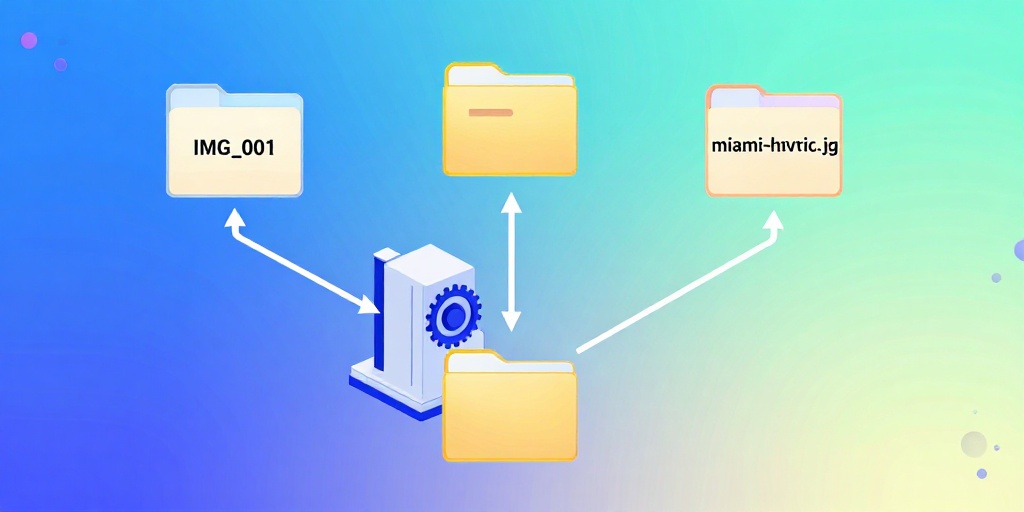
Stop naming files 'IMG_001.jpg' — use our Local SEO Image Renamer to batch rename your photos with smart, keyword-rich names in seconds.
Launch Free Tool