
The First Rule: Make Your Phone Number Glow Like a Heat Lamp
Picture this: someone in Queens just spilled coffee on their shirt and their backyard looks like a jungle. They're on their phone, searching for help. If your phone number isn't the first thing they see on your website, you've already lost them.
- Put your phone number at the top of every page — in the header, not hidden in a corner.
- Make it clickable so one tap calls you. On a phone, that's gold.
- Use a bright color (green or orange works) so it stands out against a clean background.
Your website is a tool, not a museum. Lead with the call button.
Proof That You're Awesome (Without Blowing Your Own Trumpet)
Nobody trusts a guy who says 'I'm the best.' But they will trust a neighbor who says 'These guys fixed my yard in two hours.' That's why social proof is your best friend.
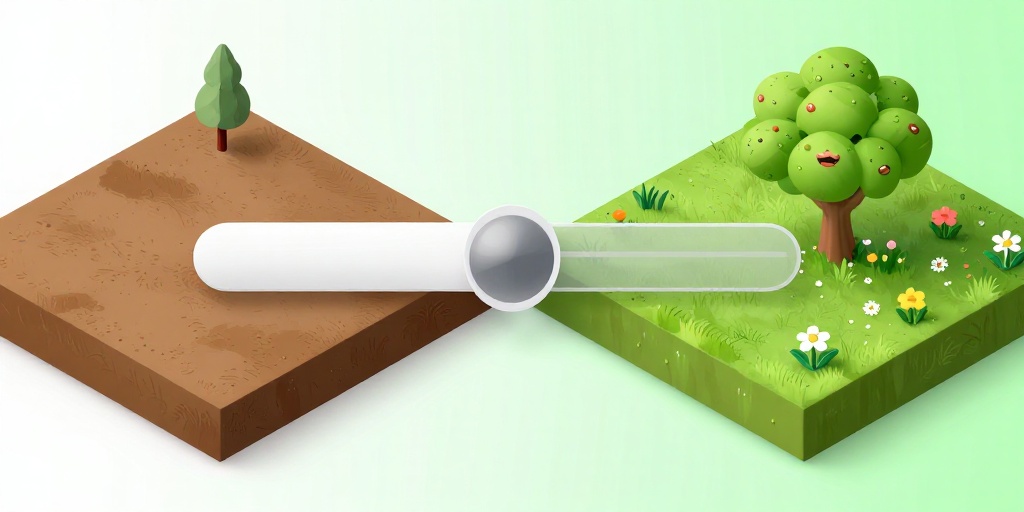
- Add a 'Before & After' slider with real photos of your work. Let people drag and see the magic.
- Get at least 10 reviews on Google and Yelp, and paste the best ones on your site. Use quotes like 'They showed up on time and fixed everything.'
- List the neighborhoods you serve — 'Serving Brooklyn, Queens, and Staten Island since 2010.' People love knowing you're local.
Think of it like a farmer's market: you don't just sell apples, you let people taste a slice.
Speed Kills (or Saves) Your Chance at a Client
NYC runs on fast. If your website takes more than 3 seconds to load, people bounce. It's like a deli counter that makes you wait 10 minutes — you leave.
- Compress your images before uploading. Use free tools like TinyPNG so they load instantly.
- Cut the fancy animations that slow things down. A clean, fast site beats a slow, pretty one.
- Test your speed with Google's free PageSpeed Insights. Aim for 85 or higher.
Speed is trust. A fast site says 'I'm professional.' A slow site says 'I'm still figuring out my phone.' Be the first.

Frequently Asked Questions
Quick answers to structural technical gaps
Do I really need a website? Can't I just use Facebook?
Facebook is like a rented apartment — you don't own the land. A website is your own home. Plus, 80% of people search Google first, not Facebook.
How much should I spend on a website?
You can get a solid, fast site for $500–$1,500 with a simple template. Avoid spending $5,000 on flashy stuff you don't need. Focus on the phone number and reviews.
Should I put prices on my website?
Only if you're very standard — like a fixed price for a mow and blow. Otherwise, a 'Get a Free Quote' button works better. Prices scare some people, but a quote invites a conversation.
How do I show up first on Google Maps?
Claim your Google Business Profile, fill out every field (hours, photos, services), and ask every happy client for a review. Plus, mention your exact service areas (like 'Astoria' not 'Queens') in your site text.
Is your website leaking traffic?
Run a free structural analysis on your domain right now and see exactly what service pages you are missing.
Launch Free Scanner